The path

Watch every guest move

Eight stages from new guest to complete. The board shows who is moving, who has stalled, and exactly what to do next for each person.

The board

See who is stuck

Assimilation plans usually live in a slide deck. The people going through them live in someone's memory. VISTA puts both on one board: every guest, the stage they are in, and how long they have been there.

When someone stalls, they stand out. A guest who has sat at Reached Out for nine days is flagged, and the person who owns them gets a nudge. When they move, the board moves with them.
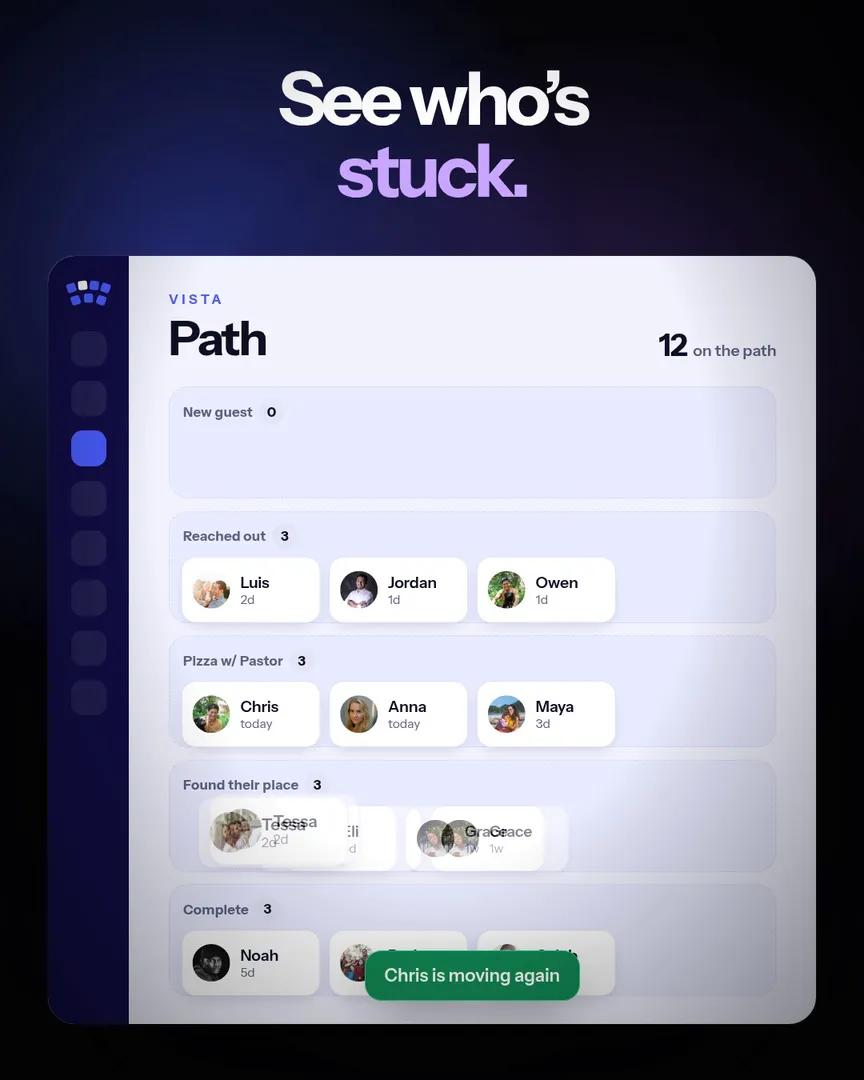
The path board in VISTA, with a guest who has stalled flagged in red
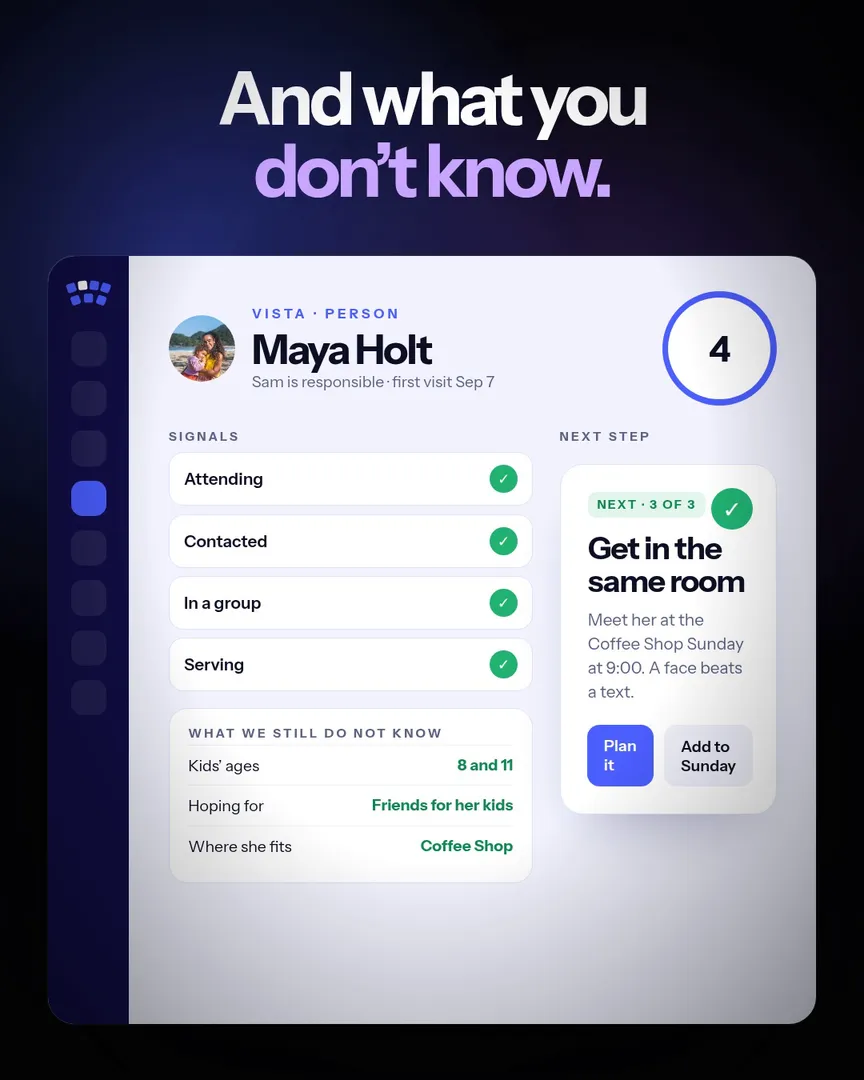
A person record in VISTA with signals, what we still do not know, and the next step

The person

Know the next step, and what you do not know

Open anyone and see where they are: attending, contacted, in a group, serving. Below that, the things your team still does not know about them, and one clear next step written for a person to do.

Say you saw them. Act on what they told you. Get in the same room. The next step changes as they move, so nobody has to guess what comes after pizza with the pastor.

Questions churches ask

Can we name our own stages?

Yes. The path is yours: name the stages to match how your church already talks about next steps.

How does it know someone stalled?

Each stage keeps its own clock. When a guest sits too long, they are flagged for the person who owns them.

Where do serving and groups fit?

They are steps on the same path. The serving match and the group finder place people, and the path shows it.

Is this a church management system?

No. It works next to the one you have. VISTA reads Planning Center and focuses on people finding their place.

Watch someone get unstuck

The path plays on the home page. Then book fifteen minutes and bring your next steps.