The staff side

See every person. Know the next step.

VISTA is the whole thing in one place: the New Here scan, the path, serving and life groups, texts through Clearstream, and Planning Center both ways. Your church names it and owns it.

Today

Open it. Know your day.

Today is the first screen your team sees: who to reach, what is overdue, how many people are on the path, and the next first touch in line. Each person can make Today their own.

Behind it, every guest has an owner, every stage has a clock, and every person has a next step written for a human to do.
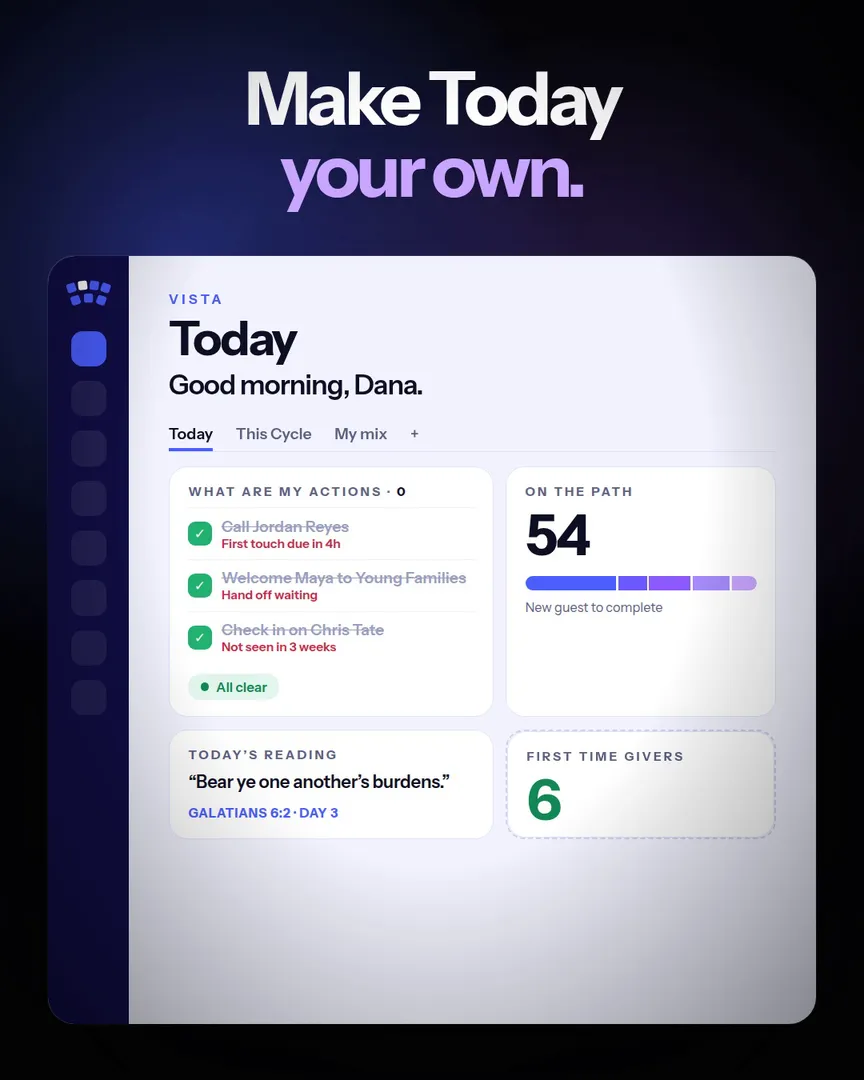
Today in VISTA: who to reach, what is overdue, and people on the path

All in one

Everything else your staff needs, in the same place

Most churches stitch this together from four or five subscriptions. VISTA puts it on one screen, in your church's name.

Reach

One thread for your team

Team threads and group texts through your own Clearstream number.

Projects

Tasks that close

Every project on one board, with owners and dates.

Giving

Who gives, who stopped

Households by band, raised to a real person before they drift.

Heartbeat

Proof, every six weeks

How your church is moving, in one report.

Devotionals

Feed your team first

One reading every morning for every leader.

Staff

Carry it together

Leaders, teams and the good stories.

Planning Center

Both ways

Linked records, and your work sent back.

Yours

Monthly or owned

Start monthly, or own it with your name on it.

Desktop and phone

At your desk. In your pocket.

VISTA runs full screen on the office computer and fits the phone in your hand. Add it to your home screen and it opens like an app, no app store needed.

Turn on notifications and your phone buzzes the moment a guest is handed to you, a task lands on you, or someone mentions you in a note. Tap it and you are on that person.

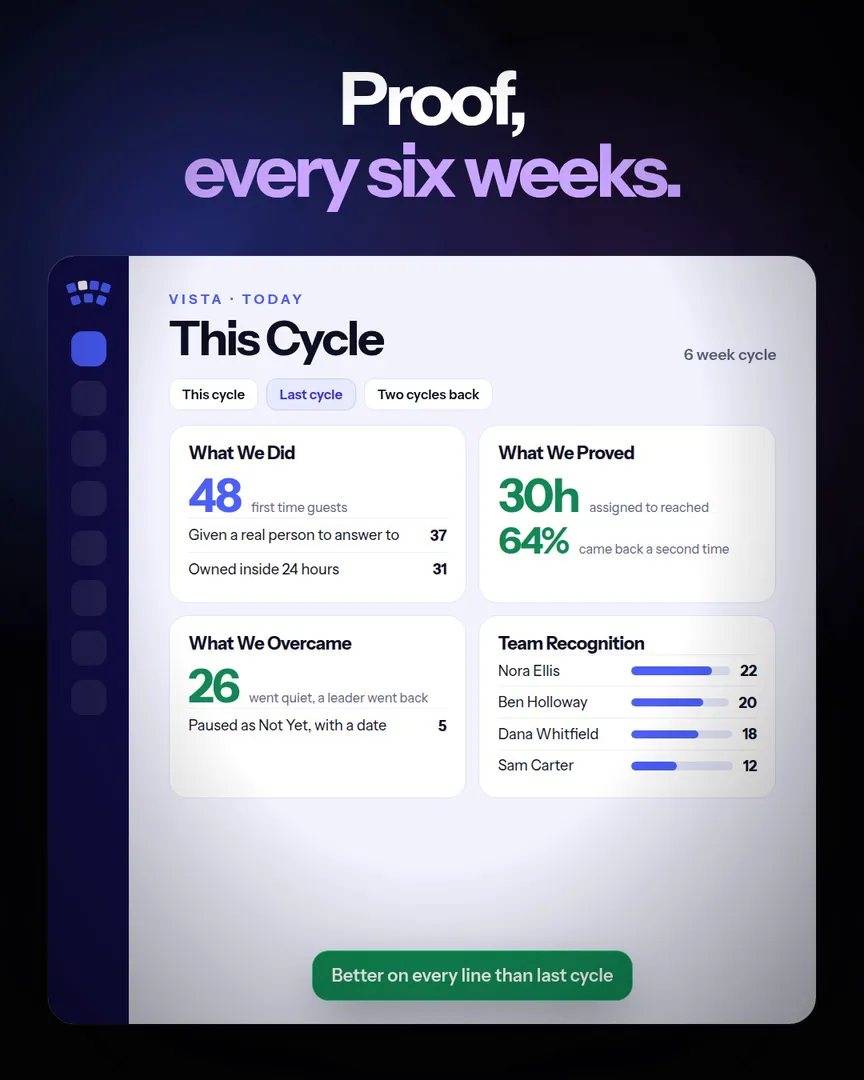
The heartbeat report in VISTA: what moved this cycle across the church

Heartbeat

Proof, every six weeks

The heartbeat report shows your staff what actually moved: new guests, people on the path, who found a place, and where things are stuck. It is the meeting agenda that writes itself.

AI help where it saves time: a personal text for everyone in a group, written in one press and read by your staff before it goes. Your staff still does the reaching.

Questions churches ask

Is VISTA a church management system?

It is the engagement layer on top of the one you have. It reads Planning Center, texts through Clearstream, and focuses on people finding their place.

Can we rename it?

Yes. VISTA is the name in our demo. In your church it is whatever you call it, on your own web address.

Is there a monthly fee?

No. You buy it once and own it. Hosting runs in your church's own accounts for an estimated $25 to $60 a month, paid to those companies, not to us.

Is there a phone app?

Yes. Add VISTA to your home screen and it opens like an app, with notifications when a guest is handed to you, a task lands on you, or someone mentions you. No app store needed.

Can I try it?

Yes. The VISTA demo on the site runs on sample data. Pick who you are and click around.

Try the VISTA demo

It runs on sample data, right on the site. Then book fifteen minutes.